
L
luke.jaeger
@luke.jaeger
Posts
-
Bambu Studio doesn't see virtual printer -
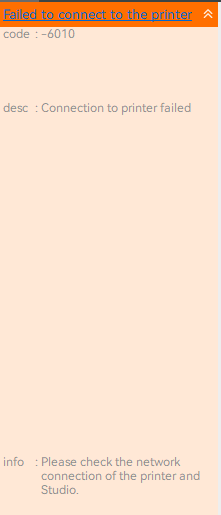
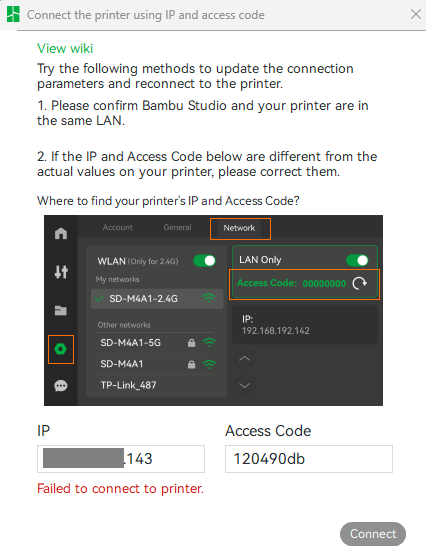
Bambu Studio doesn't see virtual printerWhen go to Devices in Bambu Studio, the Bambuddy virtual printer does not appear. I tried to add it by access code but it failed. I assume I should be pointing Bambu Studio at the IP address of bambuddy when I do this? If not, what IP should go in that field?
-
Bambu Studio doesn't see virtual printerI've set up the bambuddy Docker container and it connects successfully to my X1C. I enabled the virtual printer and the diagnostic tests all pass, but I can't add the virtual printer to my Bambu Studio instance. I followed the docs for certificate setup and restarted everything.
The Bambu Studio PC and the X1C are on the same subnet. Bambuddy is on a different subnet. But everybody can ping everybody and both the printer and virtual printer diagnostics show ok.
Suggestions?
-
server-side slicing setupAHA thanks
-
server-side slicing setuptrying to create an issue on Github and I cannot find the System Info page anywhere! Shouldn't it be visible in Settings somewhere?
-
server-side slicing setupwe're an academic makerspace and we want the workflow to be as easy as possible for students, while still allowing us to track usage.
Seems to me the workflow would look like this:- students set up their .stl files in Bambu Studio desktop app, get all the orientation & supports right, etc
- slice & export to .gcode.3mf
- upload to Bambuddy
I'd love it if they could do step 1 & 2 inside Bambuddy but sounds like that's not possible.
thanjks for all your help btw!
-
server-side slicing setupyes we have a reverse proxy.
so for now should we slice everything in desktop Bambu Studio and upload .gcode.3mf files to bambuddy? -
server-side slicing setup@MartinNYHC I think I understand how it's supposed to work! The docs don't indicate too much about how the app is supposed to look to the user, so I'm having a hard time figuring out what's wrong. Comparing it to the online demo, I notice a couple of issues:
- I can upload an .stl file to my self-hosted instance and I can slice it using the Slice command in the three-dot menu. The 3mf file appears like it should. BUT if I try to 3D preview the .3mf file, I get a frowny icon and "[FQDN] refused to connect."
I can 3D preview an .stl file, but not the .3mf. - options for auto-rotate and auto-orient do not appear in my slicing dialog.
- I can upload an .stl file to my self-hosted instance and I can slice it using the Slice command in the three-dot menu. The 3mf file appears like it should. BUT if I try to 3D preview the .3mf file, I get a frowny icon and "[FQDN] refused to connect."
-
server-side slicing setupOK I installed the containerized version and got a little farther.
It now creates a .gcode.3mf file from the .stl file, but should I see the Bambu Studio GUI when I slice a file? How do I change the orientation, quantity, support options, etc? -
server-side slicing setupno I mean how hard for you to make it work without Docker? I can't really use the Docker version in my environment.
-
server-side slicing setuphmm, that's a drag! How hard would it be to enable that?
-
server-side slicing setuphi yall,
I'm setting up Bambuddy natively on Ubuntu server using the "manual install" method.
I see the instructions for setting up server-side slicing in a Docker container, but can I / how do I enable it when running the app directly on Ubuntu?