Skip to content

Announcements

23 Topics 23 Posts

Announcements regarding our community

This category can be followed from the open social web via the handle announcements@forum.bambuddy.cool

Subcategories


  • 3 3
    3 Topics
    3 Posts
    MartinNYHCM
    Bambuddy Community has a new home — and Discord isn't going anywhere. Some of you noticed I was considering shutting down Discord. After hearing your feedback, I've found a better path: both can coexist. We've launched forum.bambuddy.cool — a dedicated community site with a forum and real-time chat, all in one place. Here's how it works now Forum In-depth discussions, guides, support questions. Everything is searchable and persistent — no more answers lost in a scrolling chat. Chat The same real-time conversation you're used to, but accessible from both Discord and the forum. Key channels are synced between the two, so you won't miss anything regardless of where you hang out. GitHub Bug reports and feature requests still go to github.com/maziggy/bambuddy. Not the forum, not Discord. What does this mean for you? Nothing changes if you want to stay on Discord. Your messages sync to the forum chat automatically. If you prefer a web experience, head to forum.bambuddy.cool — you can log in with your Discord account. For longer discussions and support, post on the forum. That way answers don't scroll away and actually help the next person with the same question. The goal is simple: one community, your choice of tool. See you there — or right here. Either way works. — Martin
  • 13 Topics
    13 Posts
    MartinNYHCM
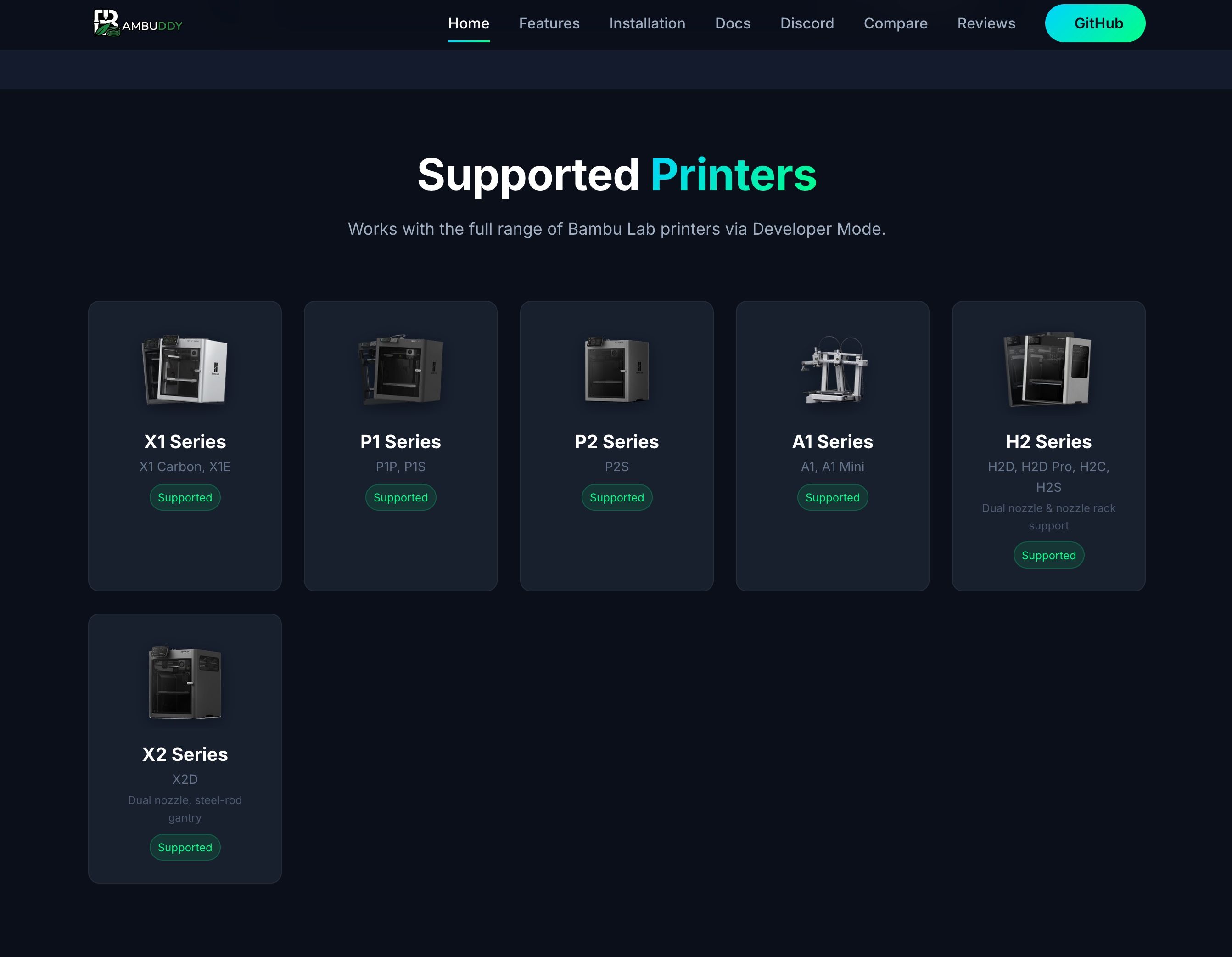
    Bambuddy v0.2.3 Upgrade Notes — Read Before Updating The in-app Update button does not reliably perform the one-time migration from 0.2.2.x to 0.2.3. Please do this one upgrade from the command line using one of the paths below. Once you're on 0.2.3, the in-app Update button works normally again for all future releases. Full guide: UPDATING.md. Docker First make sure your docker-compose.yml image: line points at :latest or :0.2.3 — if it pins an older tag (e.g. :0.2.2.2), docker compose pull will just re-fetch that tag. If your compose file is older than 0.2.3, also refresh it from the repo; recent releases added cap_add: NET_BIND_SERVICE, extra virtual-printer ports for bridge mode, and an optional PostgreSQL block. docker compose pull docker compose up -d Native install (install.sh or manual git clone) The bundled update.sh now stops the service, snapshots the database via the built-in backup API, fast-forwards to origin/main, installs Python dependencies, rebuilds the frontend, restarts the service, and rolls back automatically if any step fails. sudo /opt/bambuddy/install/update.sh Installed from a GitHub ZIP/tarball? Those installs have no .git directory and cannot be upgraded in place. See the UPDATING.md recovery procedure for backup-and-reinstall steps. Take a backup first. update.sh takes one automatically; Docker and fully-manual paths do not. Settings → Backup → Create Backup produces a full ZIP. Highlights 0.2.3 is the largest Bambuddy release yet — the cumulative result of four beta cycles (b1 → b4) and post-b3 work on dev. Big-ticket additions since 0.2.2.2: Two-Factor Authentication and OIDC/SSO, LDAP / Active Directory, Obico AI print-failure detection, optional PostgreSQL database support, scheduled local backups, X2D printer support, and the first official SpoolBuddy beta — a 7" touchscreen kiosk with NFC tag writing and scale-based spool tracking. The core app gains shortest-job-first queue scheduling, auto-print G-code injection for bed-clearing systems, printer search and filters, direct printing from the project view, firmware rollback, and a lot of polish. New Features Two-Factor Authentication (TOTP, Email OTP) and OIDC/SSO (#933) — Full 2FA implementation with admin UI. Supports TOTP authenticator apps and email-delivered OTP. OIDC/SSO works alongside local accounts and LDAP. Contributed by @netscout2001. Obico AI Print-Failure Detection (#172) — Self-hosted Obico ML API integration for spaghetti/failure detection across your whole printer fleet. Captures snapshots locally and serves them via nonce URLs so the ML API can reach them without exposing auth tokens. X2D Printer Support (#988, #989) — Full support for the Bambu Lab X2D including dual-nozzle, camera, K-profile, and maintenance tracking. Seeded by @legend813's #989 (rod-type classification and registry scaffolding) with dual-nozzle / K-profile / is_h2d gaps filled in on top. Thanks to @krautech for the report and debug bundle. Firmware List with Rollback (#568) — Settings → Firmware now lists every announced firmware version with a usable / unavailable indicator and supports rolling back to an older version. Build-Plate Z-Jog Control (#791) — Jog the build plate directly from the printer card. Airduct Mode + Status Badges on Printer Card — Airduct mode control and live status badges on each printer card, with a force-refresh button. Collapsible Folders for Printer Filters (#968) — Collapse / expand folder groups in the printers sidebar. Contributed by @cadtoolbox. China Region for Cloud Token-Based Login (#1013) — Token-based login now supports Bambu's China region. Contributed by @Minidoracat. Traditional Chinese (zh-TW) Locale (#1017) — Full zh-TW translation and a sync of 74 missing keys into zh-CN. Contributed by @Minidoracat. Spoolman Link Modal Shows Vendor Name (#958) — Vendor name displayed alongside filament in the link modal. Contributed by @shrunbr. Auto-Link Existing Accounts Toggle for OIDC (#973) — Optional setting to auto-link an OIDC login to an existing local account by matching email address. Contributed by @netscout2001. SpoolBuddy Device Control Buttons in Settings Card — Restart daemon, restart browser, reboot, and shutdown controls for each registered SpoolBuddy device from the Settings card. Expanded Settings Search — Module-level registry makes Settings search cover every sub-page, not just the top-level nodes. Support Bundle Includes Settings + SpoolBuddy Devices — Support bundles now contain all settings (with sensitive values redacted) and the list of registered SpoolBuddy devices, so bug reports have more context out of the box. Scheduled Local Backups (#884) — Settings → Backup now includes a "Scheduled Backups" card that automatically creates complete backup snapshots (database + all data directories) on an hourly, daily, or weekly schedule with configurable time-of-day and retention count. Backups are written as ZIP files to a configurable output directory (defaults to DATA_DIR/backups/), which Docker users can mount as a volume to their NAS or external storage. Each backup in the list can be downloaded, restored directly from the UI, or deleted individually. The manual backup download endpoint has also been optimized to stream directly from disk instead of loading the entire ZIP into memory. Works with both SQLite and PostgreSQL. Fully localized across all 7 UI languages. Optional PostgreSQL Database Support — Bambuddy can now use an external PostgreSQL database instead of the built-in SQLite. Set the DATABASE_URL environment variable to connect to Postgres. SQLite remains the default. All features work with both backends including full-text archive search, backup/restore, health diagnostics, and cross-database restore (import a SQLite backup into PostgreSQL with automatic type conversion and FK handling). LDAP Authentication (#794) — Users can now authenticate against an LDAP / Active Directory server. Configure the LDAP server URL, bind DN, search base, and user filter in Settings → Authentication → LDAP. Supports StartTLS, LDAPS (SSL), and plaintext connections. LDAP groups can be mapped to BamBuddy groups (Administrators, Operators, Viewers) for automatic role assignment. Auto-provisioning creates BamBuddy accounts on first LDAP login. Local admin accounts remain as fallback when the LDAP server is unreachable. LDAP Default Fallback Group — Settings → Authentication → LDAP → Advanced now has a "Default group" selector. When an LDAP user authenticates but is not listed in any mapped LDAP group, they are automatically assigned to this fallback group instead of being left without permissions. Shortest Job First Queue Scheduling (#879) — New SJF toggle badge on the queue page header. When enabled, the scheduler starts shorter print jobs before longer ones instead of FIFO order. A starvation guard ensures long jobs that get skipped once are protected from being skipped again. Print duration is cached on queue items at creation time from the 3MF metadata. Auto-Print G-code Injection (#422) — Configure custom start and end G-code snippets per printer model in Settings (Workflow tab) for bed-clearing systems like Farmloop, SwapMod, AutoClear, and Printflow 3D. When adding a print to the queue, enable "Inject G-code" to have the scheduler inject the configured snippets into the 3MF before uploading. The original file is never modified — injection creates a temporary copy for upload only. Print Files Directly from Project View (#930) — The project detail page now lists printable files from every linked library folder inline, with Print Now and Add to Queue action buttons on each sliced file. Prints triggered from the project view are automatically associated with the originating project. Contributed by @legend813. Printers Page Search and Filters (#852) — The Printers page now has a live search bar and two filter dropdowns (status and location). Search matches printer name, model, location, and serial number. The status filter is reactive to WebSocket status updates. Contributed by @legend813. Queue Timeline View (#823) — Production schedule view showing estimated print completion times, grouped by hour, with live progress bars. Filter by All/Printing/Queued and navigate between days. Staggered Batch Start for Multi-Printer Jobs (#752) — Stagger print starts across multiple printers to avoid simultaneous bed heating power spikes. Configure group size and interval in the Print/Schedule dialog or set defaults in Settings → Queue. Plate-Clear Confirmation Setting (#752) — New toggle in Settings → Queue to skip plate-clear confirmation for farm workflows where plates are verified physically. Per-User Statistics Filtering (#730) — Admins can filter the Statistics page by user to see individual prints, filament usage, and costs. Bulk Printer Actions (#825) — Select multiple printer cards and apply bulk Stop, Pause, Resume, Clear Notifications, or Clear Bed. Select by state or location. Prefer Lowest Remaining Filament (#805) — Optional setting to prefer AMS spools with the least remaining filament during auto-matching, helping consume partial spools first. REST/Webhook Smart Plug Type (#472) — New generic HTTP smart plug type for openHAB, ioBroker, FHEM, Node-RED, etc. Configure ON/OFF URLs, methods, headers, and optional status polling. Configurable Default Print Options (#858) — Set default print options (bed levelling, flow calibration, vibration calibration, timelapse, etc.) in Settings → Workflow. Batch Print Quantity (#342) — Print multiple copies of a file in one step with a quantity field in the Print/Schedule dialog. GitHub Backup: Spool Inventory & Print Archives (#870) — Optional backup of spool inventory and print archive metadata to GitHub. External Folder Subfolder Preservation (#890) — Scanning an external folder now mirrors the real directory structure into the file manager folder tree instead of flattening all files into the root. SpoolBuddy Quick Menu (#893) — Swipe down from the top of the SpoolBuddy display to open a quick-access control panel. Toggle printer power via smart plugs directly from the display, and manage the system with restart daemon, restart browser, reboot, and shutdown controls. SpoolBuddy Device Management Tab — Settings → SpoolBuddy now lists every registered device with live connection status, system details, hardware health flags, and an Unregister button. A yellow warning banner flags likely crash-duplicates when more than one device is registered. Improved Default Plate-Clear Confirmation Off on Fresh Installs — Fresh installs default the Plate-Clear Confirmation setting to off, matching the expectation that farm operators confirm plates physically. Existing installs keep their current preference. i18n Parity Gate Extended to All Locales — The CI gate that checks translation drift now inspects every locale file (de, fr, it, ja, pt-BR, zh-CN, zh-TW) with a strict / informational tier split, so translation regressions can't sneak in invisibly. SpoolBuddy Auto-Wake on NFC/Scale (#945) — The kiosk display now wakes automatically when a spool is placed on the scale or an NFC tag is scanned, without requiring a touch first. Thanks to @TravisWilder. SpoolBuddy Kiosk LCD Now Powers Off on Idle (#937) — The "screen blank timeout" setting now actually powers off the HDMI panel's backlight via swayidle + wlopm instead of just painting a CSS overlay. Thanks to @TravisWilder. AMS Drying Support for P2S — Remote AMS drying and queue auto-drying now work on P2S printers with firmware 01.02.00.00 or later. AMS Drying Support for H2S (#886) — Remote AMS drying and queue auto-drying now work on H2S printers with firmware 01.02.00.00 or later. Assign Spool Modal Filtering (#889) — Improved filtering logic for faster spool selection. Contributed by @Keybored02. SpoolBuddy Spool Detail Card (#866) — Improved spool detail card UI with better layout and information density. Contributed by @Keybored02. REST Smart Plug: Separate Power/Energy URLs (#472) — REST smart plugs can now use individual URLs for power and energy data with unit multipliers for conversion. Standardized Webhook Notification Payloads (#871) — Webhooks now include structured event data fields alongside existing title/message fields for easier automation. Database Engine Info on System Page — Shows the active database engine (SQLite or PostgreSQL) and its version. Plate Number in Printer View (#881) — Printer cards now show the plate number alongside the filename for multi-plate 3MF prints. Printer Name in Queue for Model-Based Jobs (#881) — Queue items assigned to a printer type now show the actual printer name once the scheduler assigns one. Developer Mode Detection for A1/P1 Printers — Printers without the fun MQTT field now have developer mode detected via a probe command on reconnect. Queue Page Visual Refresh — Compact stats bar, color-coded left borders, collapsible history section, and condensed history rows. SpoolBuddy Kiosk Performance Optimizations — Reduced idle CPU from ~3.3 to ~0.9 on Raspberry Pi. SpoolBuddy Inventory Page — New kiosk page with spool grid, search, filter pills, and tap-to-detail view. SpoolBuddy Auto-Navigate on Tag Scan — Automatically navigates to dashboard and wakes screen when a tag is scanned. SpoolBuddy Swipe to Switch Printers — Left/right swipe cycles through online printers on the touchscreen. Settings Menu Layout — Improved settings page menu organization. Fixed Virtual Printer Dropping Null-Terminated MQTT Payloads from OrcaSlicer Linux (#927) — OrcaSlicer on Linux appends \0 to MQTT payloads; the parser silently dropped them. Fixed. OIDC Callback Code/State Too Short (#1024) — Raised code and state max length from 512 to 2048 to match provider payload sizes. Contributed by @netscout2001. OIDC Issuer Trailing Slash Mismatch (#995) — Normalised trailing slash on both sides of issuer comparison so Authentik logins succeed. Contributed by @netscout2001. OIDC Discovery URL Trailing Slash (#985) — Strip trailing slash from issuer URL before building the discovery URL. Contributed by @netscout2001. Archive Reprints Colliding With Originals (#1011) — Unique per-submission IDs prevent reprints from overwriting the original archive entry. Obico /p/ Endpoint Incompatibility — Reverted POST-bytes approach; Obico /p/ is GET-only. Obico Snapshot 401 / "Failed to get image" (#172) — The ML API couldn't fetch snapshots from Bambuddy when auth was enabled. Snapshots are now captured locally and served via nonce URLs so the ML API can reach them without a token. Obico Snapshot Capture PIDs Swept by Stream Cleanup (#172) — Stream cleanup no longer kills in-flight Obico snapshot captures. Obico POST Image Bytes to ML API (#1003) — Adjusted the ML API integration to POST image bytes directly instead of a callback URL. MQTT Zombie Session Detection (#887) — Detects dead-but-reconnected MQTT sessions via ams_filament_setting response tracking and force-closes them with probe-timeout retries. MQTT Self-Heal on Dispatch Timeout (#936) — Half-broken MQTT sessions self-heal instead of hanging indefinitely. SD Card Badge Flap on H2D — Multiple fixes: partial pushes no longer flap the badge, heartbeat bursts no longer flip it red, the badge is now hidden entirely when the printer is offline, and the overall SD badge behaviour was reverted to match pre-regression behaviour. SD Card and Door Badges Hidden When Printer Offline — Badges are no longer shown on offline printer cards. X2D Missing from Add/Edit Printer Dropdowns (#988) — The Add/Edit Printer modal now lists X2D. Speed Level Missing from WebSocket Status (#993) — speed_level is now forwarded in the websocket status payload so the printer card updates correctly. Large 3MF Metadata Lost on FTP Timeout (#972) — Metadata for large 3MF files is now recovered after an FTP timeout instead of being dropped. Archive Resume on Subtask ID / Short-Circuit 550 / Cache 3MF (#972) — Archive downloads now resume on subtask_id, short-circuit when the FTP server returns 550, and cache the 3MF for reuse. Add/Edit Printer Modal Not Scrollable on Short Viewports — Modal is now scrollable when the viewport is too short. Library Prints Not Attributed to User — Prints started from the library are now attributed to the authenticated user instead of the service account. Build-Plate Gate Bypassed by Auto Off Power Cycle (#961) — Plate-clear gate is now persisted so Auto Off power cycles can't bypass the queue confirmation. Stuck Queue Items on Ignored Start Command — The scheduler now reverts a queued item to pending when the printer ignores the start command. CSP Blocking Sidebar iFrames, Service Worker, and Google Fonts — Relaxed Content-Security-Policy rules so same-origin iframes, the service worker, and Google Fonts load correctly. X-Frame-Options Blocking Same-Origin iFrames — Relaxed to SAMEORIGIN so same-origin iframes load. New-Window Camera View Broken with Auth Enabled (#979) — The camera-in-new-window link now works when authentication is enabled. SpoolBuddy Kiosk Unusable on First Boot — Full-mode install now makes the kiosk immediately usable on first boot. SpoolBuddy API Key Not Auto-Provisioned — Full-mode install now auto-provisions the kiosk API key. AMS dry_sf_reason Not Surfaced / Filament Not Backfilled (#971) — Expose dryer state reasons and backfill filament assignments on AMS state changes. Toast Callback Fires After Unmount — setToasts is now guarded against post-unmount async callbacks. Backup File Name — Minor fix to the downloaded backup filename format. H2C Nozzle Rack Slot Numbering Off When Slot 1's Nozzle Is Mounted (#943) — Rack slots shifted by one position when slot 1's nozzle was picked up into a hotend. The rack base is now hardcoded to match the fixed H2C rack ID layout. Thanks to @netscout2001. Energy Snapshot Capture Crashes on PostgreSQL — The hourly energy snapshot loop failed on PostgreSQL because the tz-stripping hook didn't handle nested parameters from insertmanyvalues. Now recursively strips tzinfo at any depth. Wrong Filament Color Name on AMS Popup (#857) — Colors outside a hardcoded list showed wrong names. Rewrote the resolver to use the color_catalog table as the single source of truth. Thanks to @lightmaster. LDAP Auto-Provisioning Fails on Upgraded SQLite Installs (#794) — First LDAP login on an upgraded SQLite install hit a NOT NULL constraint. Migration now patches sqlite_master directly. Thanks to @DylanBrass. Energy Statistics Empty for Date Ranges in Total Consumption Mode (#941) — Added persisted energy start column and hourly snapshot loop for accurate date-range totals. Per-print energy tracking is now restart-resilient. Thanks to @TheMadMike23. Virtual Printer "Synchronizing device information" Times Out in Orca (#927) — MQTT command handling silently dropped requests when the slicer's cached serial didn't match. Both directions are now serial-adaptive. External Sidebar Link Icon Not Showing (#878) — Custom icons returned 401 because the sidebar img tag didn't use a stream token. SJF Toggle Disappears After Clicking (#879) — The toggle was inside the Pending section header which unmounted when the last pending item started. Moved to the page header. Project Breadcrumb Shows i18n Key (#931) — Breadcrumb showed the raw translation key instead of translated text. Contributed by @legend813. SpoolBuddy Update Fails in Docker — Multiple fixes for ssh failures under arbitrary UIDs. Entire update path is now subprocess-free (uses cryptography + asyncssh). Docker image now bakes .git/HEAD for correct branch detection. Camera Stream Reconnect Counter Off-by-One + ffmpeg Log Flood (#925) — Counter could show "6 of 5", and failed ffmpeg spawns logged the full banner. LDAP POSIX Primary Group Ignored — Users whose role came from their POSIX primary group landed without permissions. Support Bundle Leaks Virtual Printer IP Address — Added _ip to the sensitive key filter for redaction. "Build Plate Cleared" Button Unclickable After Second Print (#912) — React Query mutation state from the first confirmation persisted, blocking subsequent clicks. Spoolman Location Not Cleared on Spool Removal from AMS (#921) — Auto-sync set locations for new spools but never cleared stale ones, causing double-booked slots. Spool Weight Not Updated After Print (#839) — Filament usage tracking failed silently in five scenarios: fallback archives without 3MF, external/VT tray spools, notifications showing "Unknown", auto-archive disabled, and queue/reprint prints with auto-archive disabled. All five paths are now fixed. Ghost Jobs From SQLite Lock on Print Completion (#897) — Queue status update could fail silently on SQLite lock, leaving jobs permanently stuck in "printing". Now retries with backoff. Multi-Plug Automation Only Working for First Plug (#903) — When multiple smart plugs were assigned to a printer, only the first was automated. All automation paths now control every assigned plug. SpoolBuddy Inventory Not Updating on Spool Changes (#905) — Spool CRUD endpoints now broadcast websocket events for instant updates. AMS Slot Changes Fail Until Reconnect (#887) — After a keep-alive timeout, paho-mqtt auto-reconnects but silently ignores commands. Added probe timeout with retry and force-close. Spool Manager Deducts Double Filament (#880) — Two independent deduction paths ran in the same event loop cycle. AMS weight sync now skips updates while a print session is active. File Manager Stale UI After Deleting Folders/Files — Delete endpoints relied on auto-commit after response. Added explicit commit before returning. Thumbnails Broken After Backend Restart — Stream tokens lost on restart. Frontend now auto-refreshes failed token-protected image loads. SpoolBuddy Kiosk Screen Blanks on Boot — Added consoleblank=0 to kernel cmdline and immediate anti-blank loop. Queue Widget Ignores Plate-Clear Setting (#752) — Button showed even when plate-clear confirmation was disabled. WebSocket Crash on Printers Without fun Field (#873) — Race condition in developer mode probe caused repeating crashes on A1, P1, X1Plus. Filament Hover Card Behind Sidebar (#900) — Hover card z-index conflicted with mobile sidebar. Docker Install Script (#915) — Removed deprecated --bind flag from docker_install.sh. Bed Cooled Notification Never Firing (#872) — Replaced polling-based monitor with event-driven approach. Filament Color and Subtype Inconsistencies (#857) — Fixed generic color names, missing Silk+/Tough+ subtypes, and misclassified gradient/dual-color filaments. External Spool Print Fails on Printers With AMS (#854, #859) — Fixed use_ams flag and ams_id mapping. Wrong Filament Mapping (#851) — Contributed by @behrinml. External Folder Scan 500 on 3MF Files (#846) — Crash from raw thumbnail bytes in JSON serialization. Archives Capped at 50 Items (#843) — Removed hardcoded limit, added pagination. Filament Usage Not Recorded When Auto-Archive Disabled — Tracking now runs before the archive check. AMS History Cleanup Crash — Fixed naive/aware datetime mismatch. SpoolBuddy NFC Write Fails on NTAG Tags — Multiple PN5180 state machine and CRC fixes for NTAG 213/215/216. SpoolBuddy Scale First Reading Always Wrong — NAU7802 ADC stale first reading polluted the moving average. Print Fails on Files With Spaces in Name (#824) — Spaces in MQTT url field caused firmware to ignore the print command. Virtual Printer Proxy A1 Printing Fails (#757) — Ports 2024-2026 weren't proxied. H2D External Spool Print Fails (#797) — "Failed to get AMS mapping table" on H2D external spool prints. Spool Assignment on Empty AMS Slots (#784) — Assigning spools to truly empty slots created a stuck state. Log Flood: "State is FINISH but completion NOT triggered" (#790) — Diagnostic message fired on every MQTT update in terminal state. ffmpeg Process Leak Causing Memory Growth (#776) — Camera processes accumulated over time, consuming GB of RAM. Database Connection Pool Exhaustion on Large Farms — Increased pool from 30 to 220 connections. Sidebar Bottom Icons Cut Off With Smart Plugs (#862) — Fixed footer overflow. Native Install Misdetected as Docker in LXC Containers — Fixed detection logic. P1S/P1P Printer Card Showing "Printing" When Idle (#813) — Stale MQTT connection not triggering reconnect. MQTT Connected/Disconnected UI Bouncing — Stale reconnect timer. Rapid MQTT Disconnect/Reconnect Bouncing (#813) — Fixed rapid reconnect cycling. SpoolBuddy Various Kiosk Fixes — Virtual keyboard layout, boot splash, settings layout, read tag diagnostics, assign spool modal clipping, low filament warning slot number, status bar updates, dashboard crash on null fields. Security Webhook Tokens Leaked in httpx Debug Logs — Debug logging could write webhook tokens to disk. Filtered so secrets don't hit the log. Path Traversal in File Upload Endpoints — Archive upload endpoints used client-supplied filenames directly without stripping directory components. All upload endpoints now sanitize filenames. Reported by Sacha Vaudey. Unauthenticated Bug Report Endpoints — Bug report endpoints had no authentication. Now require appropriate permissions. Reported by Sacha Vaudey. API Key Empty Printer List Grants Full Access — An API key with [] was treated as global access. Now null = global, [] = no access. Reported by Sacha Vaudey. Missing HTTP Security Headers — Added X-Content-Type-Options, X-Frame-Options, and Referrer-Policy. Reported by Sacha Vaudey. Camera Snapshot Temp Files World-Readable — Switched to mkstemp with 0600 permissions. Reported by Sacha Vaudey. Token-Based Auth for Media Endpoints — Camera streams, snapshots, thumbnails, and timelapse videos now require a stream token when auth is enabled. Dependency updates — Pillow 12.1.1 → 12.2.0 (CVE-2026-40192), pytest 9.0.2 → 9.0.3 (CVE-2025-71176), python-multipart 0.0.22 → 0.0.26, dompurify 3.3.3 → 3.4.0, vite 7.3.1 → 7.3.2 (#909), plus aiohttp, cryptography, and Pygments CVE fixes. Contributors Thank you to the contributors who helped make this release possible: @netscout2001 — Two-Factor Authentication + OIDC/SSO implementation, OIDC callback length, OIDC issuer trailing-slash fixes (×2), auto-link existing accounts toggle, H2C nozzle rack slot report (#933, #973, #985, #995, #1024, #943) @legend813 — Printer search filters, project view printing, project breadcrumb i18n fix, X2D seed PR (#852, #920, #930, #931, #932, #989) @Keybored02 — Spool detail card, assign modal filtering, SpoolBuddy init improvements, missing spool notifications, mid-print reassignment (#866, #889, #787, #789, #814) @Minidoracat — China region for cloud token-based login, traditional Chinese (zh-TW) locale, zh-CN sync (#1013, #1017, #1025) @cadtoolbox — Collapsible folders for printer filters (#968) @shrunbr — Vendor name in Spoolman Link Modal (#958) @TheMadMike23 — Energy statistics date-range report (#941) @behrinml — Filament mapping fix (#851) Sacha Vaudey — Responsible disclosure of five security vulnerabilities
  • 1 1
    1 Topics
    1 Posts
    adminA
    https://www.youtube.com/watch?v=bmq2Z0lEXeo&t=2s [image: 1776424447516-a3224367-d4d8-49b6-bb31-7195c99f24d0-image.jpeg]
  • Sponsors portal is live at sponsors.bambuddy.cool

    Pinned
    1
    1 Posts
    10 Views
    MartinNYHCM
    For everyone sponsoring Bambuddy on GitHub Sponsors — or thinking about it — the new sponsors portal is live: https://sponsors.bambuddy.cool What it does: Sign in with the GitHub account you sponsor with — your tier shows up automatically Monthly sponsors newsletter (the same one that used to land as a pinned Issue in the private sponsors repo) Quarterly roadmap vote for Patron tier and above Email notifications when a new newsletter publishes or a vote opens What changes for existing sponsors: The Discord "Backer / Supporter / Patron / ..." roles are gone. Discord stays exactly as it is for community use, just without the sponsor-tier channels. The private bambuddy-sponsors repo will be archived once the migration settles — newsletter + voting now live on the portal. BACKERS.md on the main repo still lists everyone (Backer and above). Backer tier is intentionally off-portal — the perk stays the BACKERS.md listing, no portal sign-in needed. What didn't change: All the actual tier perks. Supporter still gets newsletter, Patron still gets voting, Sustaining still gets the README listing and direct email line, Corporate still gets priority response and logo placement. Just delivered through a more reliable channel. Discord remains the general community hangout. If you sponsor and your name isn't showing on the portal within an hour, email martin@bambuddy.cool or open an Issue on the main repo. — Martin
  • Tailscale - Bambuddy: self-hosted 3D printing beyond the vendor cloud

    1
    1 Posts
    19 Views
    MartinNYHCM
    Just in..... https://tailscale.com/blog/bambuddy-bambu-lab-3d-printer-access
  • Sponsors Tiers Are Live — Five Ways to Keep Bambuddy Independent

    1
    1 Posts
    18 Views
    MartinNYHCM
    Hey everyone, The Bambuddy Sponsors program is now fully live with five recurring tiers. If you've been waiting for a way to back the project that's more than a one-off tip, here it is. The tiers — what you get: Backer — $5/mo Your name in BACKERS.md. The warm feeling of keeping a local-first project alive. Supporter — $15/mo Everything in Backer, plus: Access to a private sponsors space Monthly sponsor newsletter Early release notes before public announcement ️ Patron — $35/mo Everything in Supporter, plus: A vote on the quarterly roadmap First Patron vote opens June 2026 on Q3 features Sustaining Sponsor — $150/mo Everything in Patron, plus: Direct async email line to me for technical questions - ~2-3 business day response Corporate — $500/mo Everything in Sustaining Sponsor, plus: Priority email response (next business day) Your logo in the README header Your logo in the sitewide footer on bambuddy.cool Placement on the Press page Sign up: https://github.com/sponsors/maziggy One-time tip instead: https://ko-fi.com/maziggy Why this exists Bambuddy is principled local-first software. No cloud, no telemetry, no upsells, no enterprise SKU hiding behind the OSS edition. Igor's Lab framed it as "a principled alternative to Bambu Cloud" and I want to keep that promise. Sponsors are how that stays true — every dollar goes into shipping the next release, not into building a paywall around the current one. If you're running Bambuddy in production (especially with multiple printers, an LDAP setup, or in a workshop / makerspace) and it's saving you time, the Sustaining Sponsor or Corporate tier is what underwrites the support response time and roadmap influence you'd otherwise have to negotiate as a contract. What I won't do No hosted SaaS tier. The project stays self-hostable forever. No feature gated behind a sponsor tier. Everything that's in OSS Bambuddy today stays in OSS Bambuddy. No vendor lock-in. AGPL-3.0, your data on your hardware. Questions, feedback, or "I'd sponsor if X were a perk"? Reply in this thread. Thanks to everyone who's already on board. — Martin
  • Bambuddy: Bambu-Lab-Drucker ohne Cloud betreiben

    1
    1
    1 Posts
    45 Views
    MartinNYHCM
    https://remscheid-it.de/2026/05/08/bambuddy-bambu-lab-drucker-ohne-cloud-betreiben/ [image: 1778253148458-ec248c52-c2f9-4bc5-8b3a-227e5e64e342-image.jpeg]
  • Bambuddy: A Self-Hosted Bambu Lab Print Manager That Skips the Cloud

    1
    1 Posts
    59 Views
    MartinNYHCM
    https://www.youtube.com/watch?v=DqDOqh5t6qo&t=24s&pp=ygUIYmFtYnVkZHnSBwkJ3goBhyohjO8%3D
  • 6 hobbies that are better with a Raspberry Pi

    1
    1
    1 Posts
    61 Views
    MartinNYHCM
    https://www.howtogeek.com/hobbies-that-are-better-with-a-raspberry-pi/ [image: 1777462009443-0f529b56-4022-4471-a229-8c7873c8893d-image-resized.jpeg]
  • 1 Posts
    134 Views
    adminA
    SpoolBuddy is the companion hardware project for Bambuddy, bringing physical spool management with NFC tags. What is SpoolBuddy? SpoolBuddy is a small device that sits next to your printer and communicates with Bambuddy. It features: NFC tag writing — Write spool information to NFC tags attached to your spools LCD display — Show current spool info, printer status, or custom messages Quick menu — Navigate through common actions with physical buttons Power/restart functions — Control your printer power remotely How It Works Assign a spool in Bambuddy's Spool Inventory Tap the spool's NFC tag on SpoolBuddy SpoolBuddy reads the tag and pulls the spool data from Bambuddy The LCD shows material type, color, remaining weight, and cost When you load a tagged spool into your AMS, Bambuddy automatically knows which spool is in which slot — no manual assignment needed. Current Status SpoolBuddy is in official beta as of v0.2.3b3. The hardware design and firmware are open source. Learn more: https://bambuddy.cool (SpoolBuddy section) Interested in building one? Join the Contributors Only channel in chat!
  • Contributors Wanted — Help Shape Bambuddy!

    Bambuddy / Spoolbuddy
    1
    1 Posts
    67 Views
    adminA
    Bambuddy is a community-driven project and we're actively looking for contributors in several areas: Documentation Writers Help improve the wiki, guides, and feature docs so new users have a smooth onboarding experience. You don't need to be a developer — just someone who enjoys writing clear instructions. Forum Moderators We need people to welcome newcomers, answer questions, and keep discussions healthy. If you're active in the community and enjoy helping others, this is for you. Translators Bambuddy currently supports English, German, Japanese, and Italian. Help us add more languages or improve existing translations. Developers Check out the codebase on GitHub. We welcome pull requests for bug fixes, features, and improvements. The stack is Python (backend) and TypeScript/React (frontend). How to Get Involved Join the conversation in the Contributors Only chat channel Check open issues on GitHub — look for good first issue labels Email Martin directly: martin@bambuddy.cool Every contribution matters, no matter how small!
  • What is Bambuddy? A Complete Overview

    Bambuddy / Spoolbuddy
    1
    1 Posts
    72 Views
    adminA
    Bambuddy is a self-hosted print archive and management system for Bambu Lab 3D printers. It gives you full control over your printing workflow — no cloud dependency, no subscriptions, all your data stays on your own hardware. Why Bambuddy? Own your data — All print history stored locally Works offline — Uses Developer Mode for direct printer control via local network Full automation — Schedule prints, auto power-off, get notified when done Multi-printer support — Manage your entire print farm from one interface Key Features Print Archive Every print is automatically archived with its 3MF file, metadata, 3D preview, and photos. Search, tag, compare, and re-print any past job with a single click — complete with AMS filament mapping. Real-Time Monitoring Watch your printers live with camera streaming, status updates, fan monitoring, AMS status, and HMS error alerts. Control print speed, chamber lights, pause/resume, and even skip objects mid-print. Print Queue & Scheduling Drag-and-drop queue with multi-printer support. Schedule prints for specific times, use model-based routing for load balancing across your farm, and let smart plugs handle power management automatically. Notifications Get alerts via WhatsApp, Telegram, Discord, Email, Pushover, ntfy, or Home Assistant. Customize templates, set quiet hours, and receive per-filament usage details. Spool Inventory Track every spool with automatic consumption tracking, per-spool cost calculation, AMS slot assignment, and low-stock alerts. Bulk add up to 100 spools at once. Virtual Printer & Remote Printing Bambuddy can emulate a Bambu Lab printer on your network, letting you send prints directly from Bambu Studio or OrcaSlicer. The new Proxy Mode enables remote printing from anywhere via secure TLS relay. Integrations Spoolman sync, MQTT for Home Assistant/Node-RED, Prometheus metrics for Grafana, OrcaSlicer preset import, GitHub backup scheduling, and a comprehensive REST API. Get started: https://github.com/maziggy/bambuddy Documentation: https://wiki.bambuddy.cool Discord: https://discord.gg/aFS3ZfScHM
  • 1 Posts
    45 Views
    adminA
    We're excited to announce Bambuddy v0.2.3b3, packed with new features and improvements! Highlights SpoolBuddy Official Beta SpoolBuddy integration is now in official beta. Write NFC tags, control the LCD display, and manage your spools with the companion hardware project. Scheduled GitHub Backups Automatically back up your cloud profiles, K-profiles, and settings to a GitHub repository on a schedule. Never lose your configuration again. PostgreSQL Support In addition to the built-in SQLite database, Bambuddy now supports PostgreSQL for larger deployments and print farms. LDAP Authentication Enterprise users can now connect Bambuddy to their existing LDAP/Active Directory for user management. Queue Improvements SJF Scheduling — Shortest Job First scheduling for optimized queue throughput Auto G-code injection — Automatically inject custom G-code before/after prints Queue timeline view — Visual timeline of scheduled prints Staggered batch printing — Send prints to multiple printers with configurable delays Other Notable Changes Bulk printer actions Improved AMS mapping for H2D dual-nozzle printers Better error handling across the board Update now: docker compose pull && docker compose up -d Full changelog: https://github.com/maziggy/bambuddy/releases/tag/v0.2.3b3
  • Youtube

    Promotion
    1
    1
    1 Posts
    74 Views
    adminA
    https://www.youtube.com/watch?v=bmq2Z0lEXeo&t=2s [image: 1776424447516-a3224367-d4d8-49b6-bb31-7195c99f24d0-image.jpeg]
  • Bambuddy already supports the new X2D 🚀

    Bambuddy / Spoolbuddy
    1
    1
    1 Posts
    55 Views
    adminA
    Bambuddy already supports the new X2D [image: 1776424393965-9cd26c21-4137-413b-ad93-5f051b557b78-image-resized.jpeg]
  • 1 Posts
    40 Views
    adminA
    https://community-scripts.org/scripts/bambuddy
  • 1 Posts
    45 Views
    adminA
    https://tech.yahoo.com/computing/articles/self-hosted-tool-frees-bambu-110016626.html
  • 1 Posts
    51 Views
    adminA
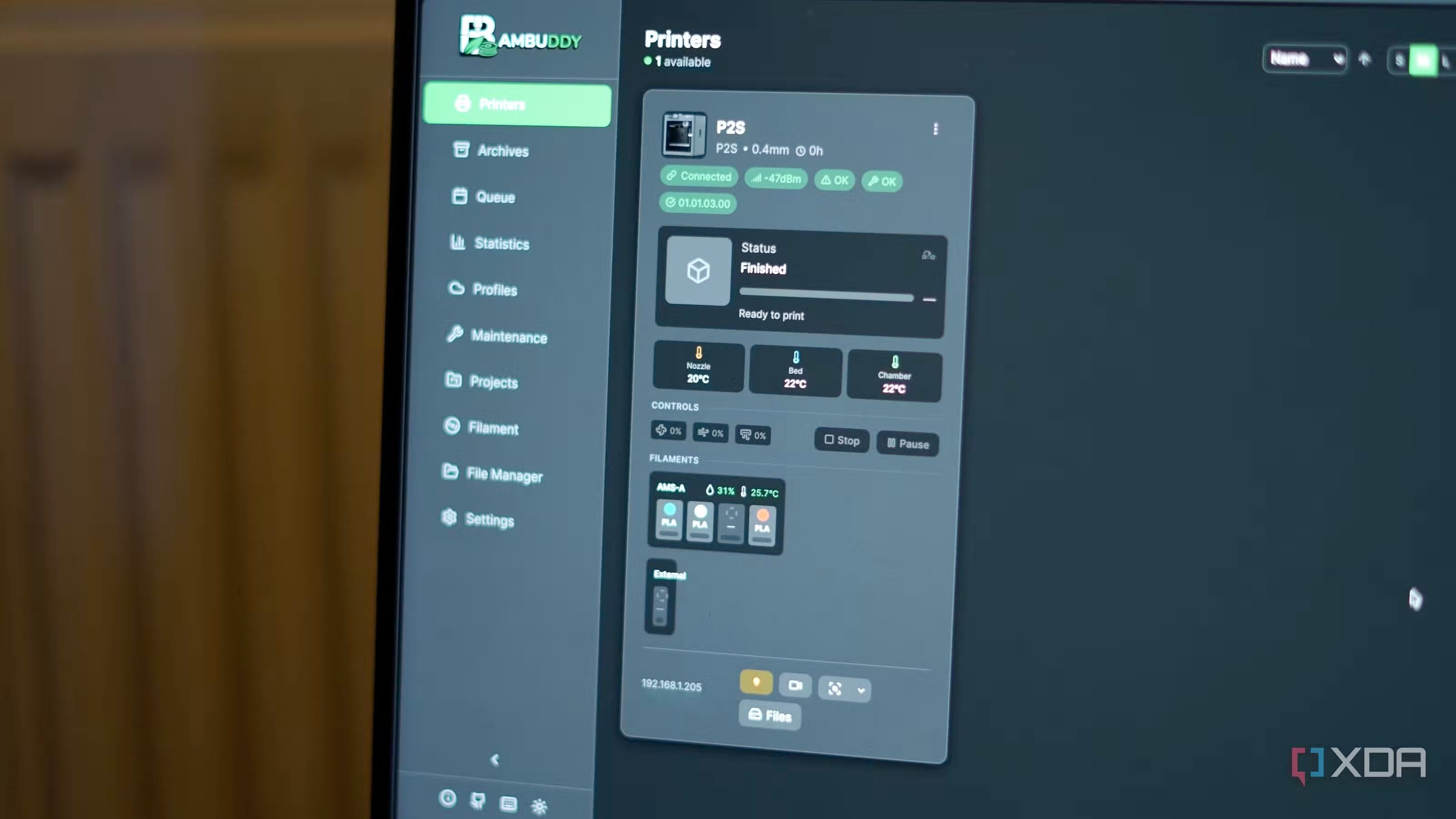
    https://www.xda-developers.com/finally-have-full-control-bambu-lab-printer-ditched-bambu-cloud [image: 1776424307416-cfabb898-7741-45be-979c-10d30596b9ad-image-resized.jpeg]
  • 1 Posts
    46 Views
    adminA
    https://www.fastblinker.com/bambuddy-the-open-source-solution-thats-revolutionizing-bambu-lab-3d-printer-management/
  • BamBuddy: Der stille Gegenentwurf zur Bambu-Cloud

    Bambuddy / Spoolbuddy
    1
    1 Posts
    48 Views
    adminA
    https://www.igorslab.de/bambuddy-der-stille-gegenentwurf-zur-bambu-cloud/
  • 1 Posts
    47 Views
    adminA
    https://3druck.com/en/programs/bambuddy-open-source-tool-ersetzt-bambu-cloud-fuer-verwaltung-und-automatisierung-von-3d-druckjobs-38153226/ [image: 1776424196678-ab4bd33f-c295-472c-a5df-1e3869385a85-image.jpeg]
  • 1 Posts
    56 Views
    adminA
    https://www.fabbaloo.com/news/bambuddy-launches-as-open-source-alternative-to-bambu-labs-cloud [image: 1776424162310-e626c43f-b04a-432a-abf9-ea03efae622e-image.jpeg]