
server-side slicing setup
-
That doesn't work.
-
hmm, that's a drag! How hard would it be to enable that?
-
Very easy, but you need Docker.
-
no I mean how hard for you to make it work without Docker? I can't really use the Docker version in my environment.
-
There are no plans for it. Sorry.
-
OK I installed the containerized version and got a little farther.
It now creates a .gcode.3mf file from the .stl file, but should I see the Bambu Studio GUI when I slice a file? How do I change the orientation, quantity, support options, etc? -
To me it looks like you have a wrong expectation what internal slicing does. Did you read the docs?
-
BTW: it is NOT mandatory for you to run Bambuddy via Docker - only the slicer sidecar needs Docker.
-
To me it looks like you have a wrong expectation what internal slicing does. Did you read the docs?
@MartinNYHC I think I understand how it's supposed to work! The docs don't indicate too much about how the app is supposed to look to the user, so I'm having a hard time figuring out what's wrong. Comparing it to the online demo, I notice a couple of issues:
- I can upload an .stl file to my self-hosted instance and I can slice it using the Slice command in the three-dot menu. The 3mf file appears like it should. BUT if I try to 3D preview the .3mf file, I get a frowny icon and "[FQDN] refused to connect."
I can 3D preview an .stl file, but not the .3mf. - options for auto-rotate and auto-orient do not appear in my slicing dialog.
- I can upload an .stl file to my self-hosted instance and I can slice it using the Slice command in the three-dot menu. The 3mf file appears like it should. BUT if I try to 3D preview the .3mf file, I get a frowny icon and "[FQDN] refused to connect."
-
For 1) please open an issue on Github
- is only available in daily beta build and with the next release.
-
BTW: [FQDN]? Are you running a reverse proxy? Looks like a service is not running or connecting to the wrong host.
-
yes we have a reverse proxy.
so for now should we slice everything in desktop Bambu Studio and upload .gcode.3mf files to bambuddy? -
I cannot answer your question because I don't know your desired workflow.
-
we're an academic makerspace and we want the workflow to be as easy as possible for students, while still allowing us to track usage.
Seems to me the workflow would look like this:- students set up their .stl files in Bambu Studio desktop app, get all the orientation & supports right, etc
- slice & export to .gcode.3mf
- upload to Bambuddy
I'd love it if they could do step 1 & 2 inside Bambuddy but sounds like that's not possible.
thanjks for all your help btw!
-
trying to create an issue on Github and I cannot find the System Info page anywhere! Shouldn't it be visible in Settings somewhere?
-
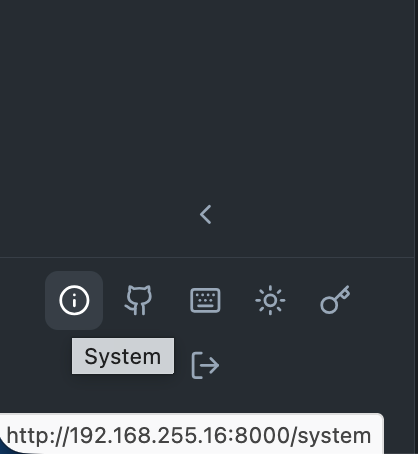
-
AHA thanks

Hello! It looks like you're interested in this conversation, but you don't have an account yet.
Getting fed up of having to scroll through the same posts each visit? When you register for an account, you'll always come back to exactly where you were before, and choose to be notified of new replies (either via email, or push notification). You'll also be able to save bookmarks and upvote posts to show your appreciation to other community members.
With your input, this post could be even better 💗
Register Login