Skip to content
  • 1 Posts
    282 Views
    adminA
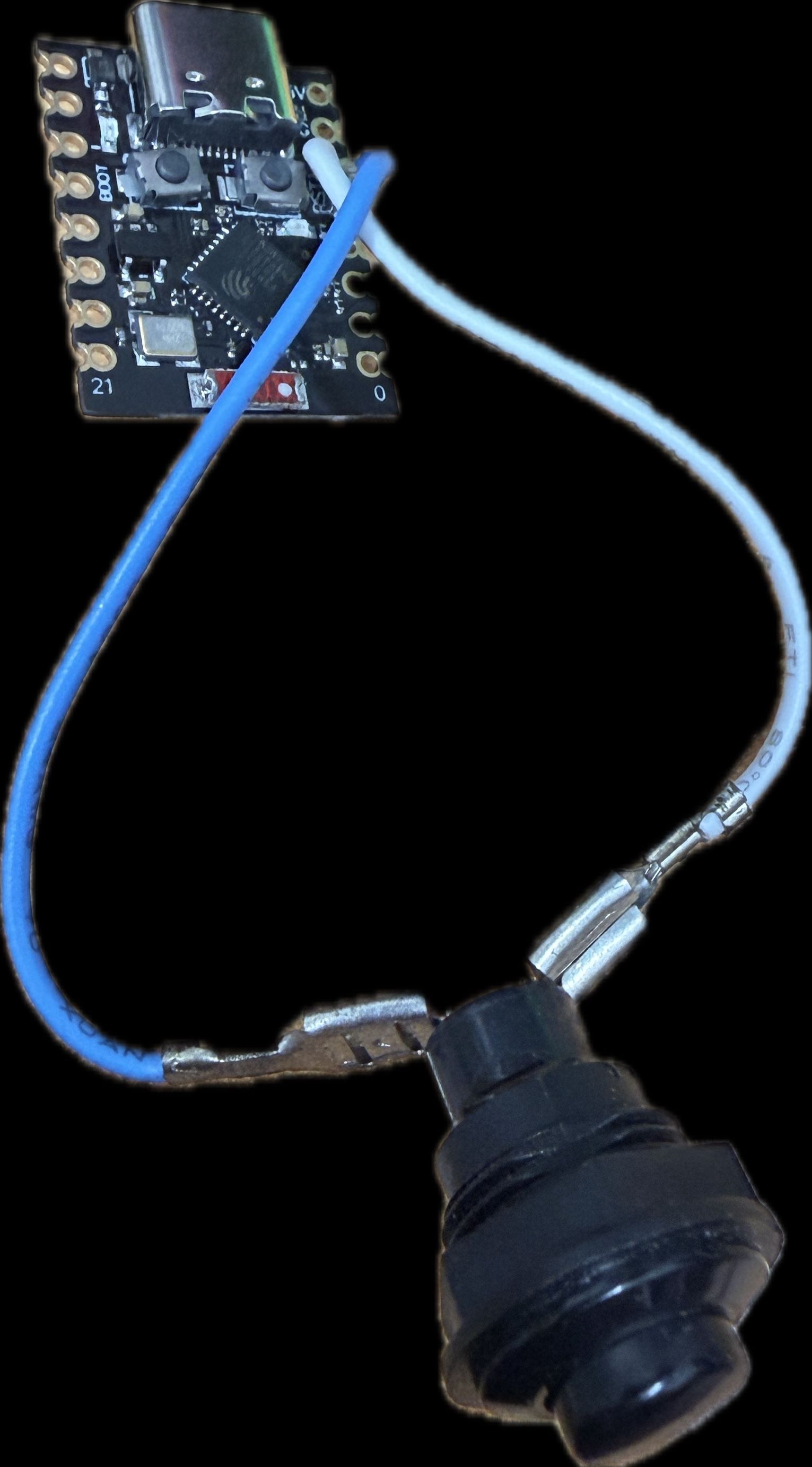
    SpoolBuddy is the companion hardware project for Bambuddy, bringing physical spool management with NFC tags. What is SpoolBuddy? SpoolBuddy is a small device that sits next to your printer and communicates with Bambuddy. It features: NFC tag writing — Write spool information to NFC tags attached to your spools LCD display — Show current spool info, printer status, or custom messages Quick menu — Navigate through common actions with physical buttons Power/restart functions — Control your printer power remotely How It Works Assign a spool in Bambuddy's Spool Inventory Tap the spool's NFC tag on SpoolBuddy SpoolBuddy reads the tag and pulls the spool data from Bambuddy The LCD shows material type, color, remaining weight, and cost When you load a tagged spool into your AMS, Bambuddy automatically knows which spool is in which slot — no manual assignment needed. Current Status SpoolBuddy is in official beta as of v0.2.3b3. The hardware design and firmware are open source. Learn more: https://bambuddy.cool (SpoolBuddy section) Interested in building one? Join the Contributors Only channel in chat!
  • Contributors Wanted — Help Shape Bambuddy!

    Bambuddy / Spoolbuddy
    1
    1 Posts
    192 Views
    adminA
    Bambuddy is a community-driven project and we're actively looking for contributors in several areas: Documentation Writers Help improve the wiki, guides, and feature docs so new users have a smooth onboarding experience. You don't need to be a developer — just someone who enjoys writing clear instructions. Forum Moderators We need people to welcome newcomers, answer questions, and keep discussions healthy. If you're active in the community and enjoy helping others, this is for you. Translators Bambuddy currently supports English, German, Japanese, and Italian. Help us add more languages or improve existing translations. Developers Check out the codebase on GitHub. We welcome pull requests for bug fixes, features, and improvements. The stack is Python (backend) and TypeScript/React (frontend). How to Get Involved Join the conversation in the Contributors Only chat channel Check open issues on GitHub — look for good first issue labels Email Martin directly: martin@bambuddy.cool Every contribution matters, no matter how small!
  • Guide: Virtual Printer & Remote Printing with Proxy Mode

    Help
    1
    1 Posts
    259 Views
    adminA
    Bambuddy can emulate a Bambu Lab printer on your network and even relay prints remotely. Here's how the Virtual Printer and Proxy Mode work. Virtual Printer The Virtual Printer makes Bambuddy appear as a real Bambu Lab printer in your slicer (Bambu Studio or OrcaSlicer). When you send a print to the virtual printer, Bambuddy can: Archive mode — Save the file to your archive without printing Review mode — Stage the file for review before printing Queue mode — Add to the print queue automatically Proxy mode — Relay the print to an actual printer (even remotely) Setup Go to Settings > Virtual Printer in Bambuddy Enable the virtual printer Choose your emulated printer model (X1C, P1S, A1, H2D, etc.) The virtual printer will appear in your slicer via SSDP discovery (same LAN) or add it manually by IP Proxy Mode — Print From Anywhere Proxy Mode is the game-changer. It acts as a secure relay between your slicer and your actual printer: End-to-end TLS encryption — FTP, file transfer, and camera are transparently proxied No cloud dependency — Direct connection through your own Bambuddy server Uses printer's access code — No additional credentials needed Full-speed printing — Transparent TCP proxy, minimal overhead Recommended: Use a VPN For remote printing, combine Proxy Mode with Tailscale or WireGuard for full data encryption. This gives you secure access to your printer from anywhere. Use Cases Remote print farms Printing from work to your home printer Traveling makers who want to start prints remotely Detailed setup guide: https://wiki.bambuddy.cool/features/virtual-printer/
  • Welcome to the Bambuddy Community Forum!

    Pinned Forum
    1
    1 Posts
    166 Views
    adminA
    Welcome! This forum is the place for in-depth discussions, support, and sharing around Bambuddy. How This Community Works We have three main spaces: Forum (you're here) — For discussions, guides, help requests, and announcements. Posts are searchable and persistent. Chat (left sidebar) — Real-time conversation synced with our Discord server. Quick questions, off-topic chat, and hanging out. GitHub — Bug reports and feature requests go on GitHub Issues. Forum Categories Announcements — Release notes, project updates, community news General Discussion > Help — Installation issues, configuration questions, troubleshooting General Discussion > Ideas — Feature ideas and improvement suggestions Development — For contributors and developers Languages — Discussions in German, Italian, French, and Dutch Off-Topic > Share & Tell — Show off your prints, setups, and projects! Community Guidelines Be kind and respectful — We're all here to learn and share Search before posting — Your question might already be answered Provide context — When asking for help, include your Bambuddy version, printer model, and a support package Bugs go to GitHub — Use the /issue command in chat for the step-by-step guide Have fun — Share your prints, ideas, and experiences! If you're new to Bambuddy, start with the Installation Guide and the Overview.
  • Setting Up Notifications (Telegram, Discord, WhatsApp & More)

    Help
    1
    1 Posts
    173 Views
    adminA
    Bambuddy supports a wide range of notification providers. Here's how to set them up. Supported Providers Provider Type Setup Difficulty Telegram Bot message Easy Discord Webhook Easy WhatsApp Via CallMeBot Medium Email SMTP Medium Pushover Push notification Easy ntfy Push notification Easy Home Assistant Persistent notification Easy Custom Webhook HTTP POST Advanced What You Get Notified About Print started / completed / failed / cancelled First layer complete (with camera snapshot) Bed cooled down (configurable threshold) HMS errors (AMS jams, nozzle issues, etc.) Build plate detection alerts Queue events (waiting, skipped, failed) Missing spool assignment warnings Configuration Go to Settings > Notifications in Bambuddy Enable your preferred provider(s) Enter the required credentials (bot token, webhook URL, etc.) Test the connection with the Test button Configure quiet hours if you don't want notifications at night Customizable Templates You can customize the notification message format, including: Per-filament usage details Print finish photo URL Filament usage and progress for failed/cancelled prints Daily Digest Enable the daily digest to receive a summary of all print activity instead of individual notifications. For detailed setup instructions per provider, check the Documentation.
  • Troubleshooting: Common Issues and Solutions

    Help
    1
    1 Posts
    252 Views
    adminA
    A collection of frequently reported issues and their solutions. Printer Shows as Offline Cause: Network connectivity or Developer Mode not enabled. Fix: Verify Developer Mode is enabled on the printer Confirm the printer and Bambuddy are on the same network/VLAN Check the IP address in Settings > Printers Restart the printer if it was recently updated Camera Not Showing Preview Cause: Camera stream not accessible or blocked. Fix: Make sure the camera is enabled in your printer's settings Check that port 6000 (RTSP) is not blocked by a firewall For X1C/P1S: camera works over LAN only with Developer Mode Try refreshing the browser or clearing cache Print Won't Start from Queue/Archive Cause: Filament mismatch, printer busy, or file transfer issue. Fix: Check that the printer has the required filaments loaded Make sure the printer isn't already printing or in error state Check the queue status — it might be in "Queue Only" mode Verify the 3MF file isn't corrupted (try downloading and opening in slicer) Large File Upload Fails Cause: Timeout or proxy configuration. Fix: If using a reverse proxy, increase client_max_body_size and timeouts For direct access, check available disk space Try a wired connection instead of WiFi AMS Mapping Shows Wrong Colors Cause: AMS slot configuration out of sync. Fix: Go to the Printers page and click on the AMS slots to refresh Try the RFID re-read button for affected slots Ensure spools are properly assigned in the Spool Inventory Docker on Windows: Network Issues Cause: Docker Desktop doesn't support host networking. Fix: Enter your printer's IP address manually in Bambuddy settings Don't rely on auto-discovery (SSDP) — it won't work through Docker Desktop's NAT Still stuck? Create a new topic in the Help category with: Your Bambuddy version Printer model A Support Package
  • How to Enable Developer Mode on Your Bambu Lab Printer

    Help
    1
    1 Posts
    5k Views
    adminA
    Bambuddy requires Developer Mode to communicate directly with your printer over the local network, bypassing Bambu Cloud. Why Developer Mode? By default, Bambu Lab printers route everything through Bambu Cloud. Developer Mode enables local MQTT/FTP access, which Bambuddy uses for: Real-time status monitoring Sending print jobs directly Camera streaming Printer control (pause, resume, stop) How to Enable It On your printer's touchscreen, go to Settings Navigate to Network or General (varies by model) Find Developer Mode or LAN Only Mode Enable it Note the Access Code displayed — you'll need this in Bambuddy Also Required: Store Sent Files on External Storage In Bambu Studio or OrcaSlicer: Go to your printer settings Enable "Store sent files on external storage" This ensures 3MF files are saved to the printer's SD card, which Bambuddy archives automatically. Important Notes Developer Mode works alongside Cloud connectivity — you don't lose cloud features The Access Code changes if you reset it on the printer Your printer and Bambuddy server must be on the same local network Once enabled, add your printer in Bambuddy: Settings > Printers > Add Printer — enter the IP address and access code.
  • Setting Up a Reverse Proxy (Nginx) for Bambuddy

    Help
    1
    1 Posts
    164 Views
    adminA
    If you want to access Bambuddy over HTTPS or via a domain name, you'll need a reverse proxy. Here's a working Nginx configuration. Nginx Configuration server { listen 80; server_name bambuddy.yourdomain.com; return 301 https://$host$request_uri; } server { listen 443 ssl; server_name bambuddy.yourdomain.com; ssl_certificate /etc/letsencrypt/live/bambuddy.yourdomain.com/fullchain.pem; ssl_certificate_key /etc/letsencrypt/live/bambuddy.yourdomain.com/privkey.pem; client_max_body_size 500M; proxy_read_timeout 300; proxy_connect_timeout 300; proxy_send_timeout 300; location / { proxy_pass http://127.0.0.1:5000; proxy_http_version 1.1; proxy_set_header Upgrade $http_upgrade; proxy_set_header Connection "upgrade"; proxy_set_header Host $host; proxy_set_header X-Real-IP $remote_addr; proxy_set_header X-Forwarded-For $proxy_add_x_forwarded_for; proxy_set_header X-Forwarded-Proto $scheme; } } Important Notes WebSocket support is required — The Upgrade and Connection headers are essential for real-time printer status updates and camera streaming. Increase client_max_body_size — 3MF files can be large. 500M is a safe value for print farms. Increase timeouts — Some operations (firmware updates, large uploads) take time. SSL Certificate with Let's Encrypt sudo apt install certbot python3-certbot-nginx sudo certbot --nginx -d bambuddy.yourdomain.com For more details, check the Documentation.
  • Getting Started: How to Install Bambuddy (Docker)

    Help
    1
    1 Posts
    319 Views
    adminA
    This guide walks you through installing Bambuddy using Docker — the recommended method. Prerequisites Docker and Docker Compose installed on your system A Bambu Lab printer with Developer Mode enabled "Store sent files on external storage" enabled in Bambu Studio or OrcaSlicer Printer and server on the same local network Installation Option A: Pre-built Image (Fastest) mkdir bambuddy && cd bambuddy curl -O https://raw.githubusercontent.com/maziggy/bambuddy/main/docker-compose.yml docker compose up -d That's it! Open http://your-server-ip:5000 in your browser. Option B: Build from Source git clone https://github.com/maziggy/bambuddy.git cd bambuddy docker compose up -d --build Multi-Architecture Support Bambuddy runs on both AMD64 and ARM64 (Raspberry Pi 4/5). Docker will automatically pull the correct image. macOS / Windows (Docker Desktop) Docker Desktop doesn't support host networking. You'll need to enter your printer's IP address manually in Bambuddy settings instead of relying on auto-discovery. Updating docker compose pull docker compose up -d Daily Beta Builds Want to try the latest features? Use the daily build tag: image: ghcr.io/maziggy/bambuddy:daily Note: Daily builds are never tagged as latest — you need to explicitly opt in. First Steps After Install Open Bambuddy in your browser Go to Settings > Printers and add your printer's IP and access code Your printer should appear on the dashboard within seconds Start a print from your slicer — it will be automatically archived! Having trouble? Check the Documentation or ask in the Help category.
  • What is Bambuddy? A Complete Overview

    Bambuddy / Spoolbuddy
    1
    1 Posts
    222 Views
    adminA
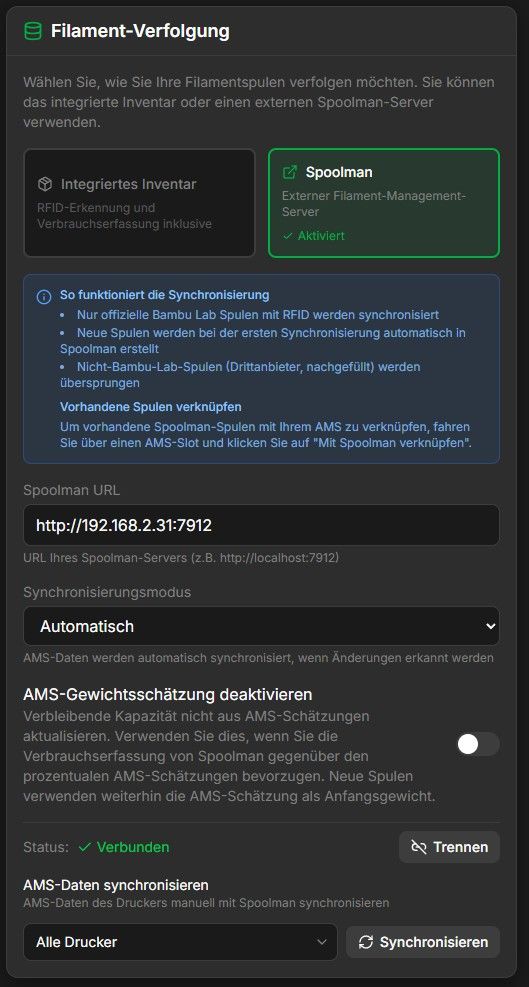
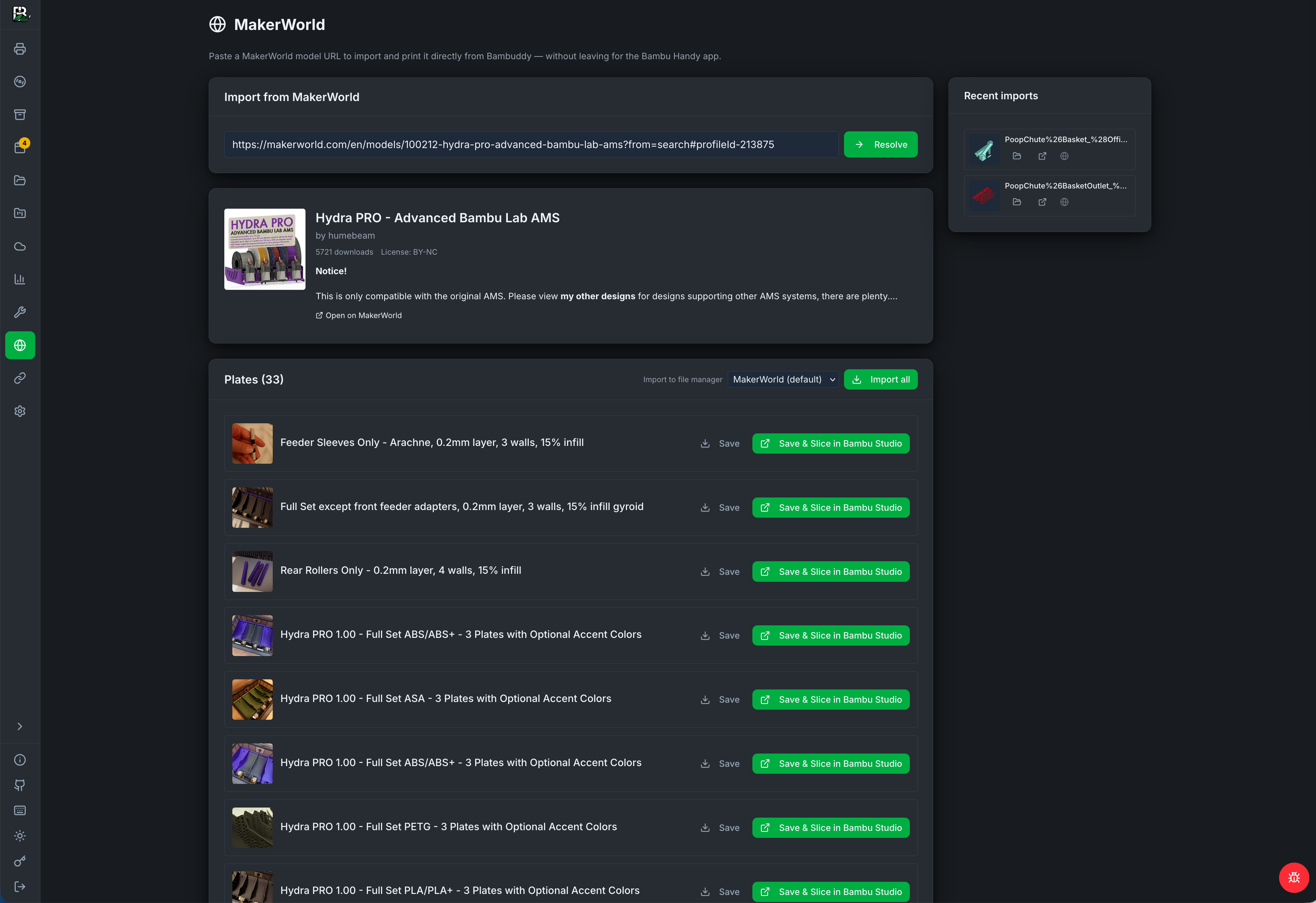
    Bambuddy is a self-hosted print archive and management system for Bambu Lab 3D printers. It gives you full control over your printing workflow — no cloud dependency, no subscriptions, all your data stays on your own hardware. Why Bambuddy? Own your data — All print history stored locally Works offline — Uses Developer Mode for direct printer control via local network Full automation — Schedule prints, auto power-off, get notified when done Multi-printer support — Manage your entire print farm from one interface Key Features Print Archive Every print is automatically archived with its 3MF file, metadata, 3D preview, and photos. Search, tag, compare, and re-print any past job with a single click — complete with AMS filament mapping. Real-Time Monitoring Watch your printers live with camera streaming, status updates, fan monitoring, AMS status, and HMS error alerts. Control print speed, chamber lights, pause/resume, and even skip objects mid-print. Print Queue & Scheduling Drag-and-drop queue with multi-printer support. Schedule prints for specific times, use model-based routing for load balancing across your farm, and let smart plugs handle power management automatically. Notifications Get alerts via WhatsApp, Telegram, Discord, Email, Pushover, ntfy, or Home Assistant. Customize templates, set quiet hours, and receive per-filament usage details. Spool Inventory Track every spool with automatic consumption tracking, per-spool cost calculation, AMS slot assignment, and low-stock alerts. Bulk add up to 100 spools at once. Virtual Printer & Remote Printing Bambuddy can emulate a Bambu Lab printer on your network, letting you send prints directly from Bambu Studio or OrcaSlicer. The new Proxy Mode enables remote printing from anywhere via secure TLS relay. Integrations Spoolman sync, MQTT for Home Assistant/Node-RED, Prometheus metrics for Grafana, OrcaSlicer preset import, GitHub backup scheduling, and a comprehensive REST API. Get started: https://github.com/maziggy/bambuddy Documentation: https://wiki.bambuddy.cool Discord: https://discord.gg/aFS3ZfScHM
  • 1 Posts
    121 Views
    adminA
    We're excited to announce Bambuddy v0.2.3b3, packed with new features and improvements! Highlights SpoolBuddy Official Beta SpoolBuddy integration is now in official beta. Write NFC tags, control the LCD display, and manage your spools with the companion hardware project. Scheduled GitHub Backups Automatically back up your cloud profiles, K-profiles, and settings to a GitHub repository on a schedule. Never lose your configuration again. PostgreSQL Support In addition to the built-in SQLite database, Bambuddy now supports PostgreSQL for larger deployments and print farms. LDAP Authentication Enterprise users can now connect Bambuddy to their existing LDAP/Active Directory for user management. Queue Improvements SJF Scheduling — Shortest Job First scheduling for optimized queue throughput Auto G-code injection — Automatically inject custom G-code before/after prints Queue timeline view — Visual timeline of scheduled prints Staggered batch printing — Send prints to multiple printers with configurable delays Other Notable Changes Bulk printer actions Improved AMS mapping for H2D dual-nozzle printers Better error handling across the board Update now: docker compose pull && docker compose up -d Full changelog: https://github.com/maziggy/bambuddy/releases/tag/v0.2.3b3
  • Youtube

    Promotion
    1
    1
    1 Posts
    195 Views
    adminA
    https://www.youtube.com/watch?v=bmq2Z0lEXeo&t=2s [image: 1776424447516-a3224367-d4d8-49b6-bb31-7195c99f24d0-image.jpeg]
  • Bambuddy already supports the new X2D 🚀

    Bambuddy / Spoolbuddy
    1
    1
    1 Posts
    134 Views
    adminA
    Bambuddy already supports the new X2D [image: 1776424393965-9cd26c21-4137-413b-ad93-5f051b557b78-image-resized.jpeg]
  • 1 Posts
    120 Views
    adminA
    https://community-scripts.org/scripts/bambuddy
  • 1 Posts
    185 Views
    adminA
    https://tech.yahoo.com/computing/articles/self-hosted-tool-frees-bambu-110016626.html
  • 1 Posts
    143 Views
    adminA
    https://www.xda-developers.com/finally-have-full-control-bambu-lab-printer-ditched-bambu-cloud [image: 1776424307416-cfabb898-7741-45be-979c-10d30596b9ad-image-resized.jpeg]
  • 1 Posts
    161 Views
    adminA
    https://www.fastblinker.com/bambuddy-the-open-source-solution-thats-revolutionizing-bambu-lab-3d-printer-management/
  • BamBuddy: Der stille Gegenentwurf zur Bambu-Cloud

    Bambuddy / Spoolbuddy
    1
    1 Posts
    159 Views
    adminA
    https://www.igorslab.de/bambuddy-der-stille-gegenentwurf-zur-bambu-cloud/
  • 1 Posts
    154 Views
    adminA
    https://3druck.com/en/programs/bambuddy-open-source-tool-ersetzt-bambu-cloud-fuer-verwaltung-und-automatisierung-von-3d-druckjobs-38153226/ [image: 1776424196678-ab4bd33f-c295-472c-a5df-1e3869385a85-image.jpeg]
  • 1 Posts
    141 Views
    adminA
    https://www.fabbaloo.com/news/bambuddy-launches-as-open-source-alternative-to-bambu-labs-cloud [image: 1776424162310-e626c43f-b04a-432a-abf9-ea03efae622e-image.jpeg]